Configuration Portal

Your TMS. Configured your way.

Empower your team to adapt workflows, manage integrations, and configure the system through MasterMind's Minion portal.
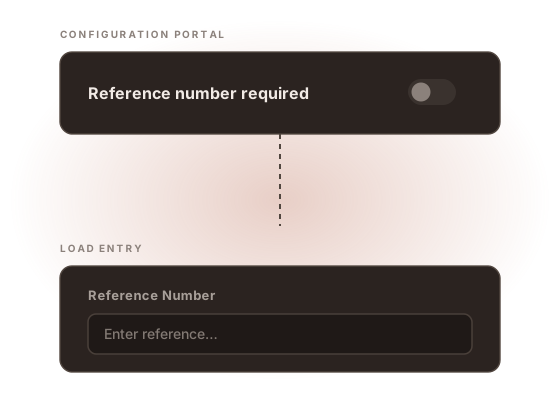
A configuration portal setting for requiring a reference number is switched on, and the field becomes required
The difference

Support tickets. Configuration.

Approved admins have control over system changes.
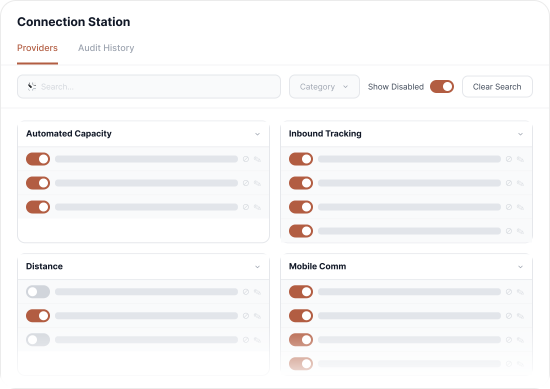
Manage every integration in one place

  • Enable or disable third-party service providers instantly
  • Securely store and validate integration credentials
  • Review a complete change-history audit log
Connection Station interface

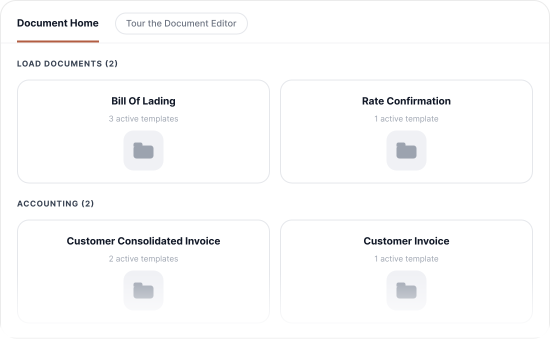
Edit your own documents, no code required

  • Edit invoices, rate confirmations, and bills of lading in a clean visual editor
  • Fully editable document content in a modern UI to match your message, brand, and needs.
  • Auto-select the right template by company, division, mode, or size
Document Editor interface
Automate everything

Let the system do the work

You define what should happen and when — then let the system do the rest.

Rules Engine

Build automated workflows tied to your own business criteria — triggered by events or schedules, configurable across the entire platform.

Notification Station

Configure custom notification paths tied to specific events, so the right people are informed at the right moment.
Admin control

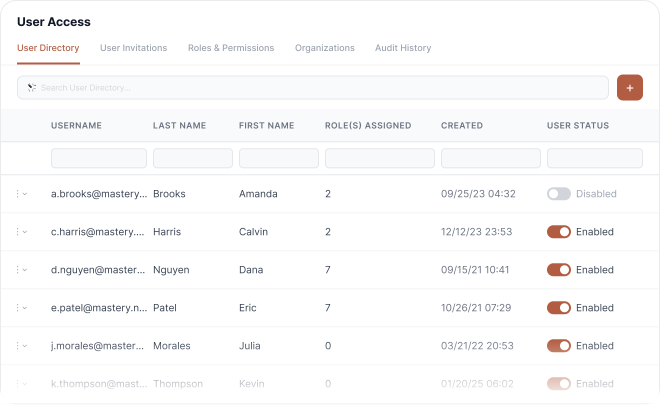
Manage who can do what, across your organization

  • Manage user access and permissions through your SSO
  • Configure read, write, edit permissions for users
  • Support multi-agency structures with full audit history
User Access interface

Want to learn what self-service looks like?

Book a Demo